Skip to content

01

Know where you stand

Your net worth, your goal and your investments in one clear picture.

See your position at a glance

Home puts your net worth, your cash and your savings on one page, each checked against the target you set.

  • Six vital signs

    Net worth, investments, cash on hand, savings rate, runway (the months your cash would last) and how fresh your data is.

  • This month against last

    Your spending so far against the same point last month, and where the month is heading.

  • Needs attention

    Anything that needs a look waits at the foot of the page, so nothing interrupts you.

Also

  • A one-line summary of your trend
  • Monthly cash flow
  • A reminder when it is time to import
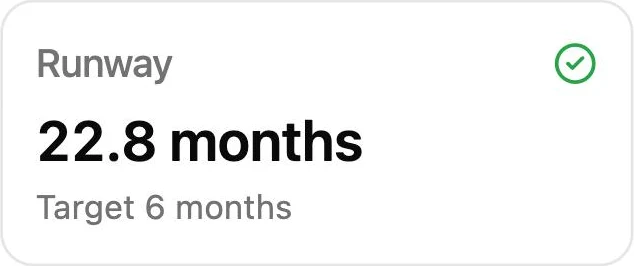
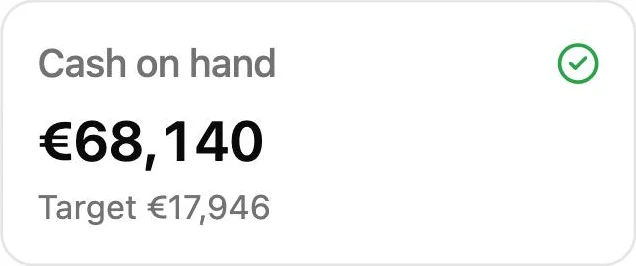
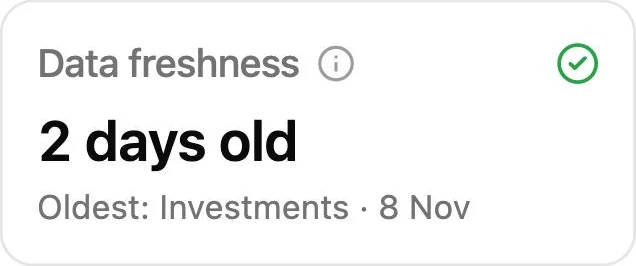
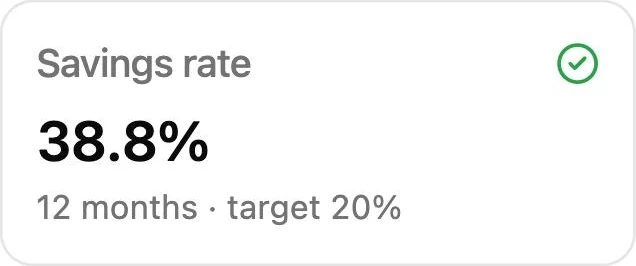
Cash on hand: €68,140, against a target of €17,946, with a check mark.Data freshness: 2 days old, the oldest being the investments from 8 November, with a check mark.Runway: 22.8 months, against a target of 6 months, with a check mark.Savings rate: 38.8% over 12 months, against a target of 20%, with a check mark.

Reach the goal you set

Set an amount and a year. finko shows the growth it takes, and whether you are on track.

Also

  • Net worth over time, with a projection
  • What you own and what you owe
  • A year-end balance sheet
  • A year-end update in four steps
  • Your investments added for you
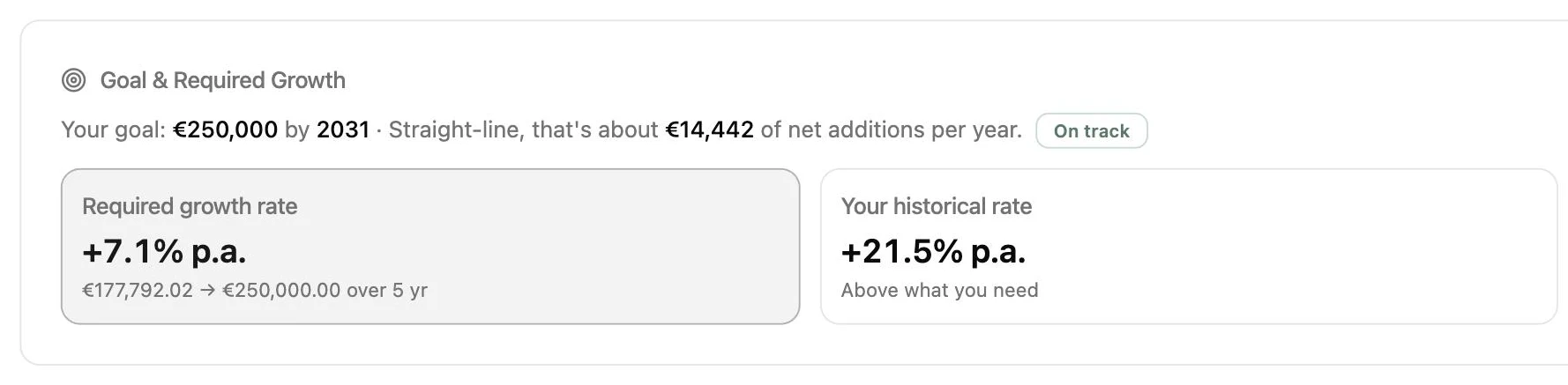
  • The growth you need

    Shown next to the growth you have had so far.

  • Saved or grown

    Each year’s change, split into what you saved and what your money earned.

  • Financial independence

    Your net worth measured against 25 years of your spending.

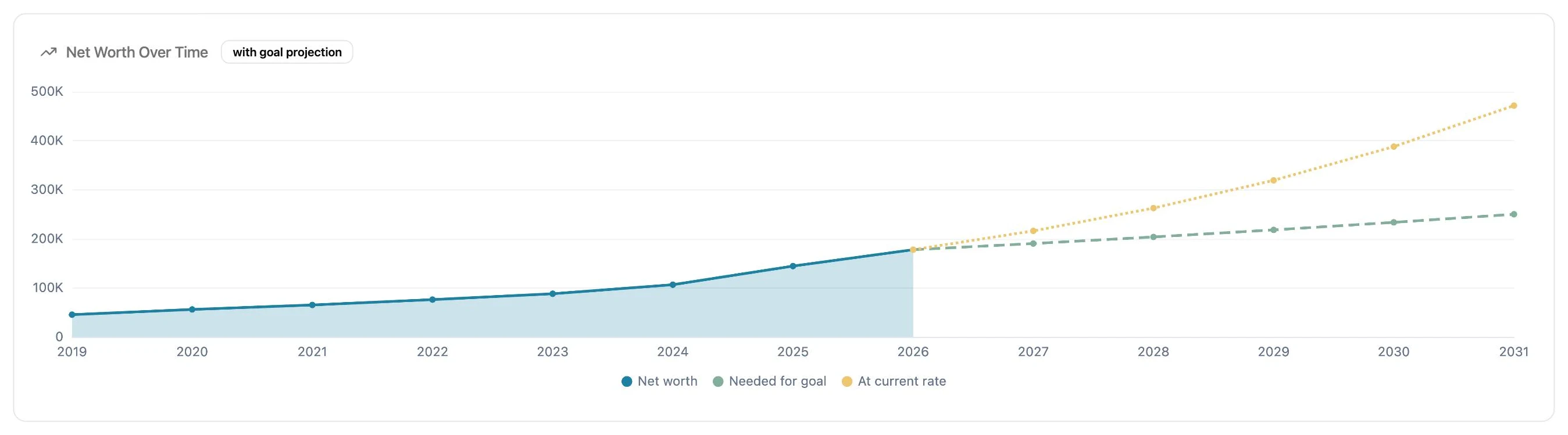
Close-up of the Net Worth Over Time chart: net worth rising since 2019, with two projections to 2031, one at the current rate and one at the rate the goal needs.
Close-up of the goal card: €250,000 by 2031, a required growth rate of 7.1% a year against a historical 21.5%, marked on track.

See if your investments are paying off

Import your broker’s statement and see what your portfolio is worth and what it has earned, up to your latest trade.

  • Your real return

    Worked out so the money you add or take out does not distort it, both time-weighted and money-weighted.

  • Month by month

    Your return for each month, and what each holding added to it.

  • Dividends and interest

    What your holdings paid you, month by month.

Also

  • Holdings valued at your latest trade price, or a price you enter
  • Your value against the money you put in
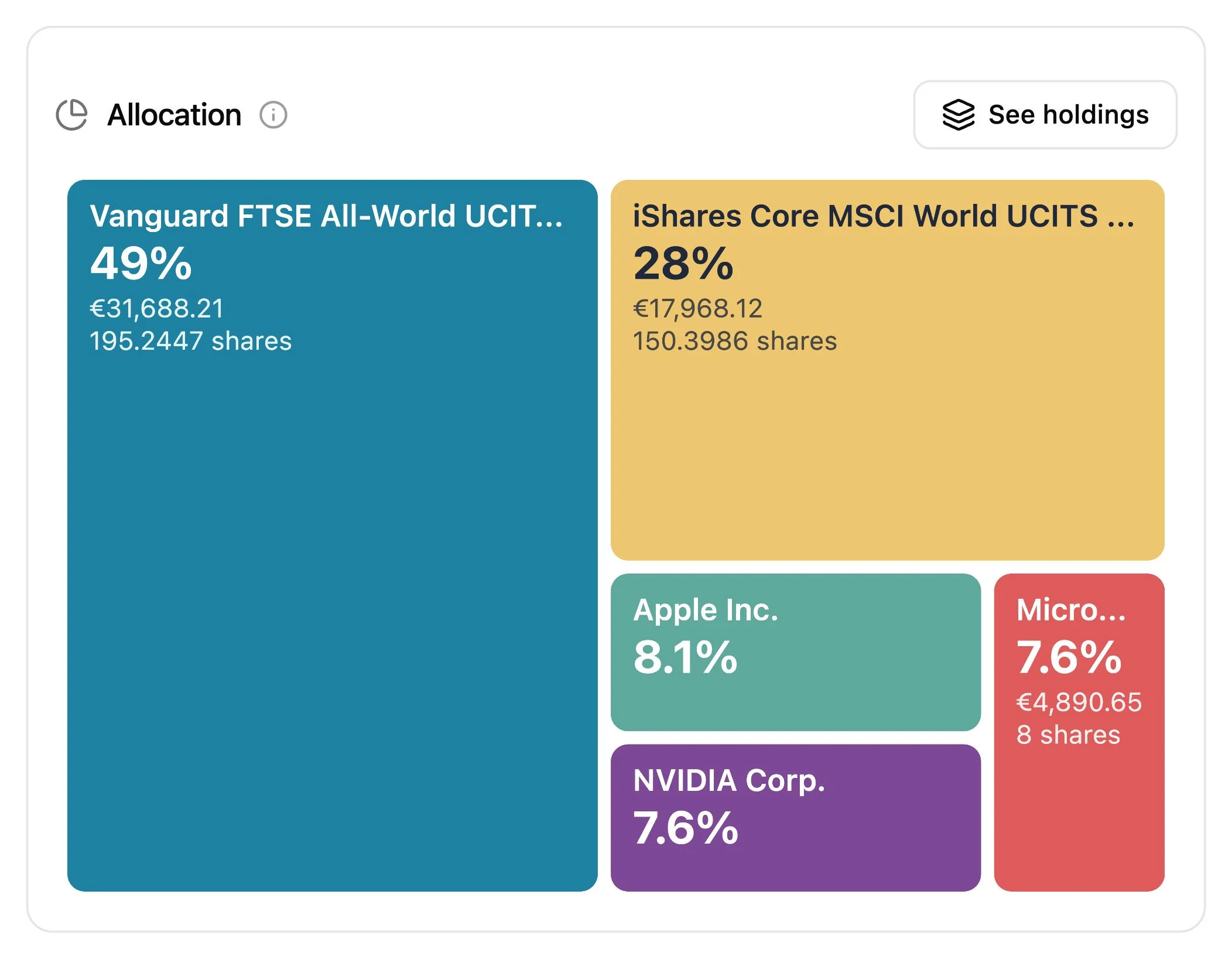
  • A map of your holdings
  • Best and worst performers
  • Closed positions and their result
  • Currency exposure and fees
  • Trades from any broker’s statement you can map
Close-up of the allocation treemap: two world index funds make up 49% and 28% of the portfolio, and three single shares about 8% each.

Back to the chapters

02

Take control of your spending

Know where your money goes, what repeats and when you go over.

See where your money goes

Follow your money from your income into rent, groceries, travel and savings.

  • One flow chart

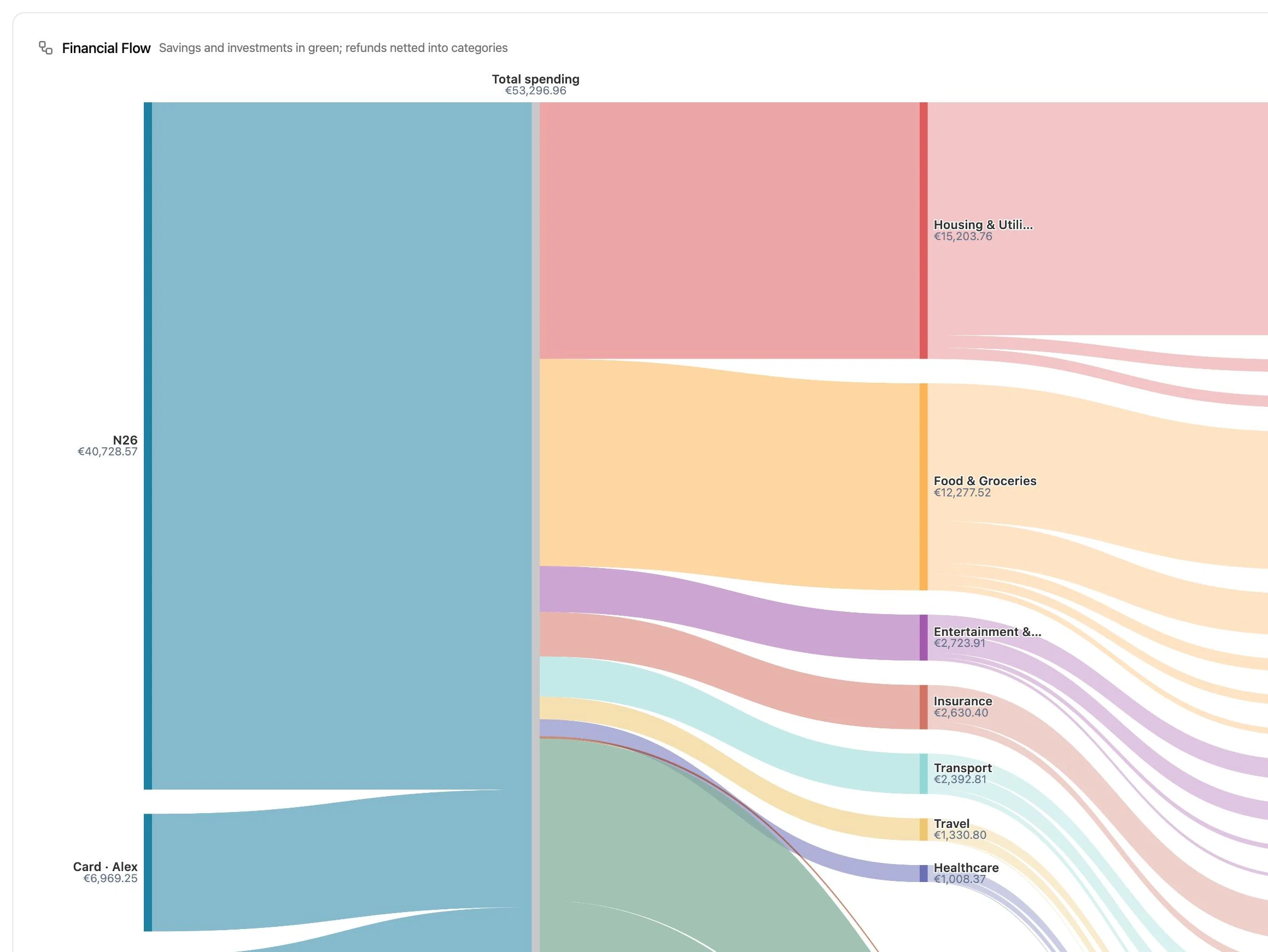
    From what came in to where it went, in a single picture.

  • Spending by category

    A breakdown that opens up into sub-categories.

  • Your savings rate

    By month, over the last 60, 90 or 180 days, or over a rolling year.

Also

  • Every payment in one searchable list
  • Daily spending
  • How many months your cash would last
  • Payments counted in the month they belong to
  • Transfers kept out of your spending
Close-up of the Financial Flow chart: €53,296.96 of spending flows from the bank account and the credit card into housing, food, entertainment, insurance, transport and more.

Catch what you pay every month

finko finds your subscriptions and fixed costs, and adds up what they cost you each year.

  • Found for you

    Charges that repeat across your cards and banks are picked up on their own.

  • Price changes

    See when a subscription’s price changes, or when it seems to have ended.

  • Your say

    Mark any payment as recurring, and finko offers to do the same for similar ones.

Also

  • Fixed costs as a share of your spending
  • A warning above the limit you choose
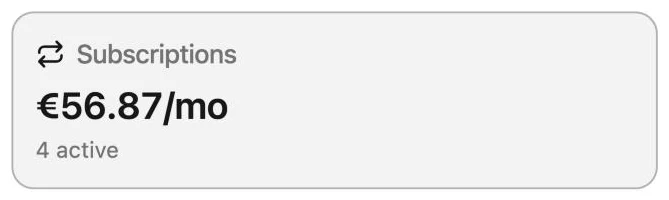
Close-up of the Subscriptions card: €56.87 a month, 4 active.
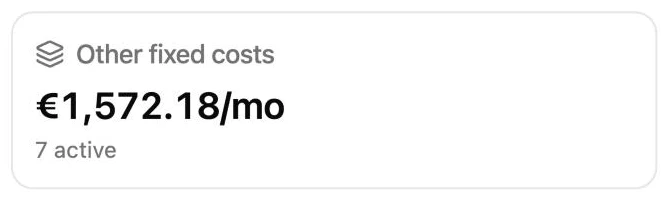
Close-up of the Other fixed costs card: €1,572.18 a month, 7 active.
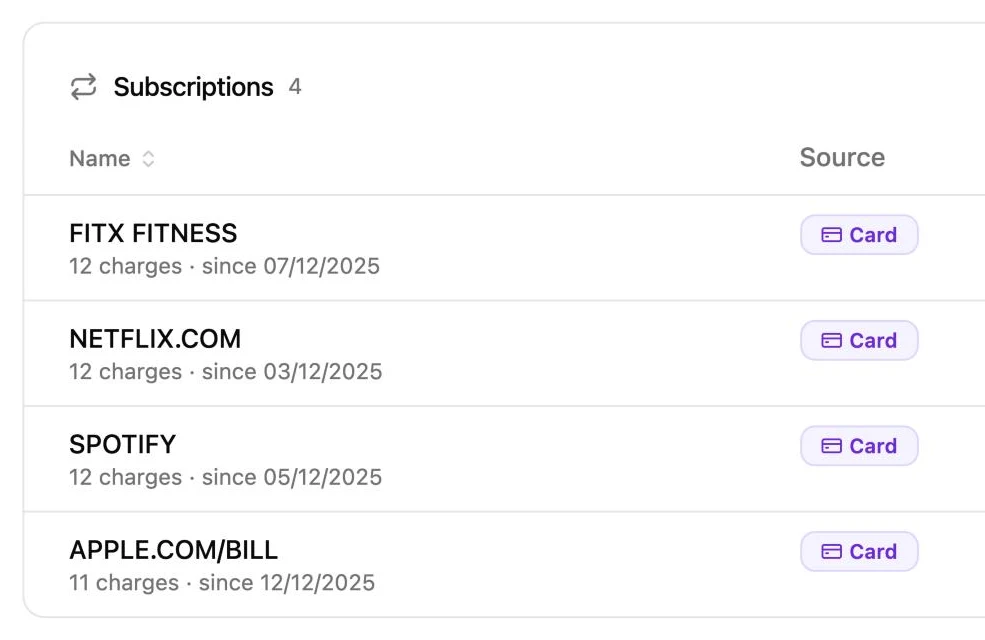
Close-up of the Subscriptions table: four monthly charges on the credit card, each found from 11 or 12 charges since December 2025.

Stay within your budget

Set a budget for each category, and finko tells you when you go over it.

  • Monthly budgets

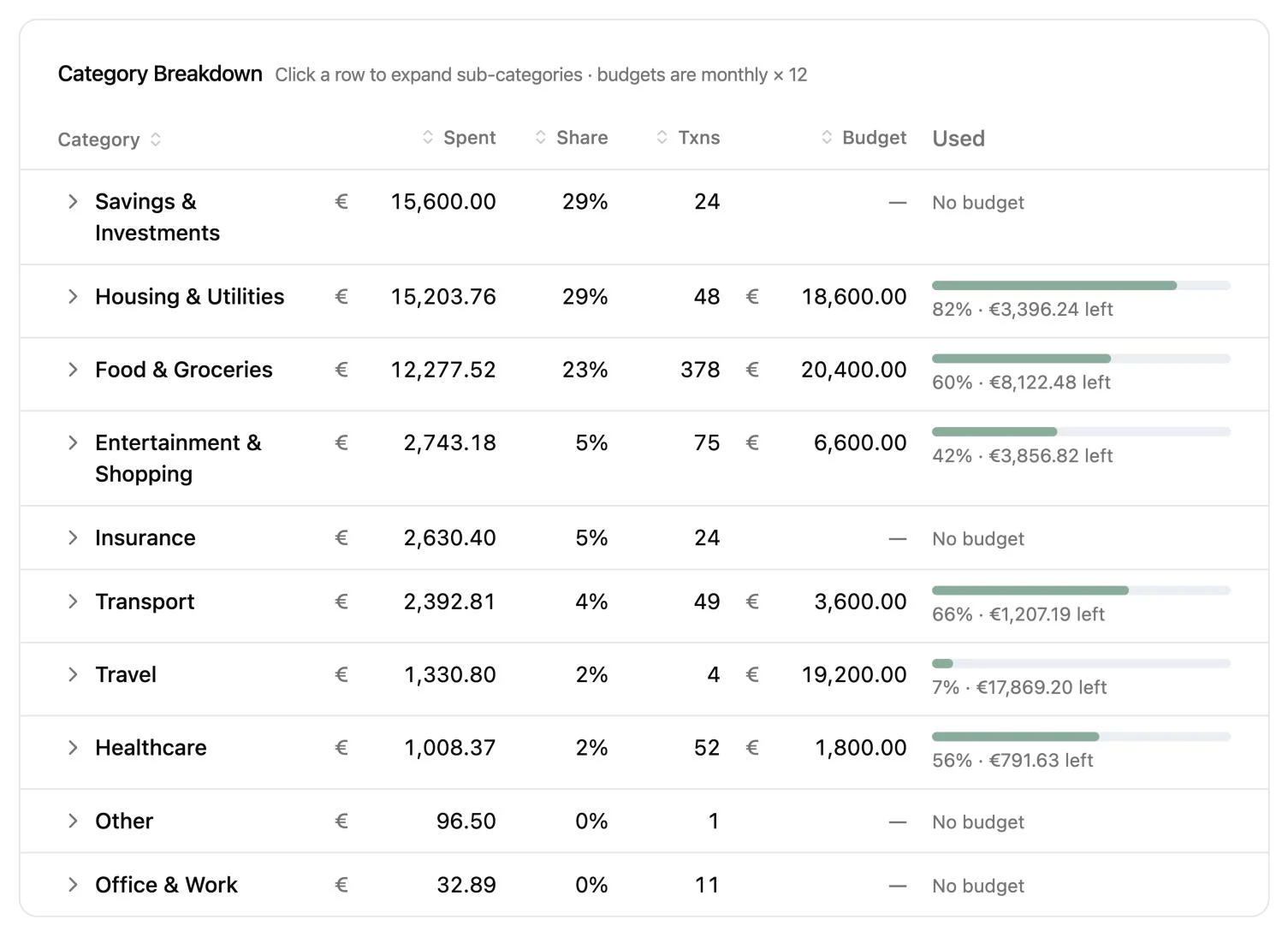
    An amount for each category, with a bar for how much of it you have used.

  • Alerts you choose

    Over budget, an investment down further than you allow and more, each with its own switch.

  • Targets you set

    Your savings rate, the months of runway you want and how far an investment may fall.

Also

  • Every alert gathered on Home
  • A reminder to sort uncategorised payments
Close-up of the Category Breakdown: each category with what was spent, its budget and a bar for how much of it is used, such as Housing & Utilities at 82% with €3,396.24 left.

Share costs fairly with a partner

Split shared payments to the cent, and see at a glance who owes whom.

  • Split to the cent

    Mark a card payment as shared, and finko splits it evenly.

  • Who owes whom

    Each person’s fair share against what they paid, until it reads “Fully settled”.

  • One statement, two cards

    Each card on a combined statement goes to the right person.

Also

  • Who paid for what, across cards and banks
  • A record of card bill payments
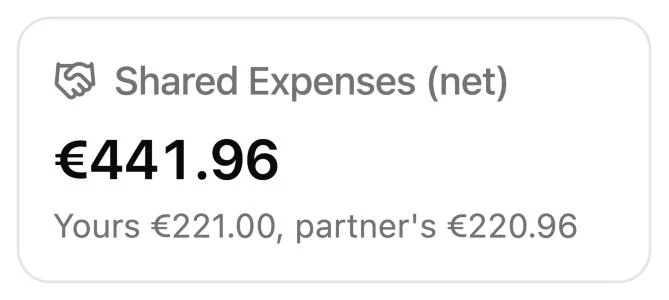
Close-up of the Shared Expenses card: €441.96 net, yours €221.00 and your partner’s €220.96.
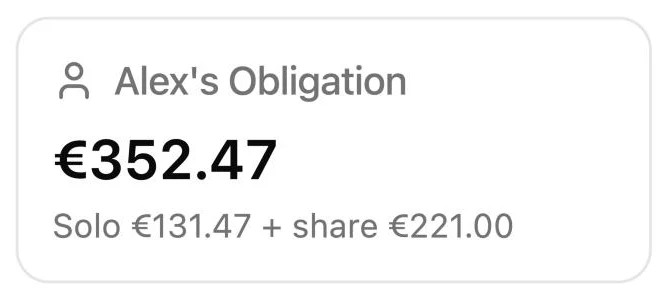
Close-up of Alex’s Obligation card: €352.47, €131.47 alone plus a share of €221.00.
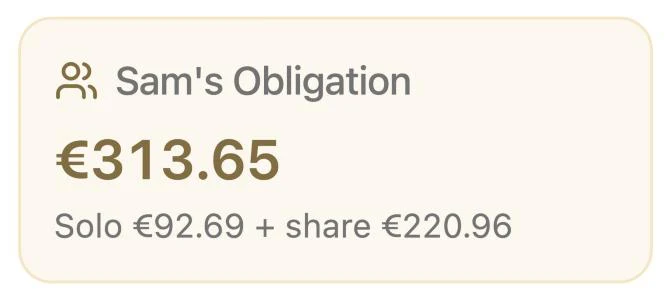
Close-up of Sam’s Obligation card: €313.65, €92.69 alone plus a share of €220.96.

Back to the chapters

03

Keep it all yours

Bring everything in from your own statements, and keep it on your computer.

Bring in every bank, without a login

Download a statement from your bank and import it in seconds. finko never asks for your bank password.

  • Any bank

    Match a statement’s columns once, and finko remembers them.

  • Checked before it is saved

    See the rows, totals and dates first. Rows you already imported are skipped.

  • Balances to the cent

    Enter your real balance and finko checks against it. A gap points to a missing statement.

Also

  • Ready for N26 and Trading212
  • English and German statements
  • Problem rows kept aside to fix later
  • Moves between your own accounts recognised
  • Accounts without a statement
  • Your own categories and rules
  • Purchases abroad with their original amount
  • Supermarket

    Food & Groceries

    €84.20

  • Hotel

    Travel

    €195.39

    $212.00 at 1.0850

  • Interest

    Income

    +€12.40

On your computer

Have every payment sorted for you

finko puts each payment you import into a category, and it learns with every import.

  • Sorted as you import

    A payment from a merchant finko knows gets its category on import, on your computer.

  • Learns from you

    Categorise a payment once, and finko sorts that merchant on its own from then on.

  • Your own rules

    Add a rule for a merchant, and finko follows it. A near match comes up as a suggestion you accept with one click.

Also

  • Your own categories and sub-categories
  • A search across every rule
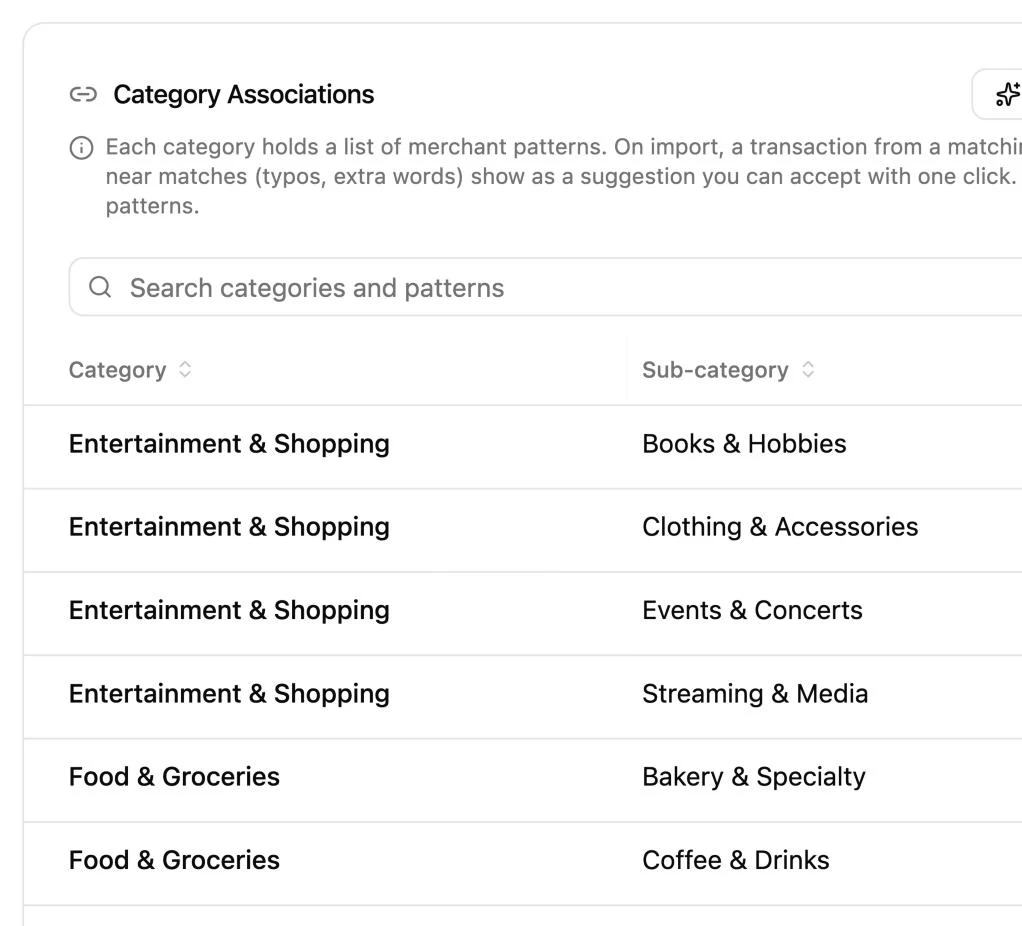
Close-up of the Category Associations card: a search over categories and patterns, and the rules by category and sub-category, such as Food & Groceries with Coffee & Drinks.

Hold money in more than one currency

Keep each account in its own currency, and see every total in yours.

  • Daily exchange rates

    From the European Central Bank, with a second source for the currencies it does not cover.

  • Missing rates flagged

    If finko has no rate for an amount, it leaves the amount out and tells you which one.

  • Exact to the cent

    Amounts are stored exactly as your statement shows them.

Have your German tax figures ready

finko works out the figures for Anlage KAP and Anlage KAP-INV from your trades, line by line.

Also

  • Dividends and interest with the foreign tax withheld
  • The tax year to download as a file

These figures are meant to assist you and are not tax advice. Check them before you file, or ask a tax adviser.

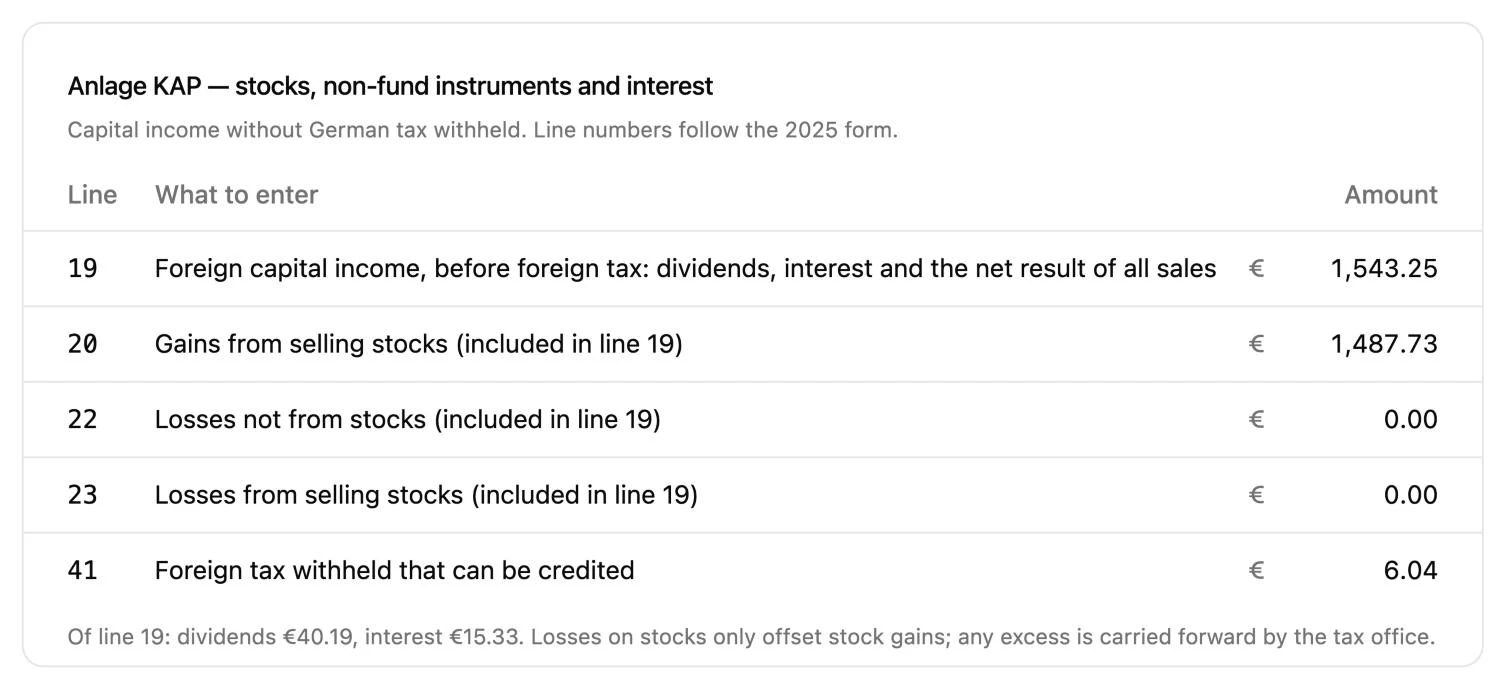
  • Line by line

    The amount for each line, following the 2025 forms.

  • Every sale worked out

    Proceeds, cost and gain, first in, first out, with the partial exemption for funds.

  • Saver’s allowance

    How much of it you have used, single or joint, and a rough estimate of the tax.

Close-up of the Anlage KAP lines for 2025, from line 19, foreign capital income of €1,543.25, to line 41, foreign tax withheld of €6.04.

Keep your finances to yourself

Your financial data lives in one file on your computer, and finko never receives it.

  • Locked with a passphrase

    Only you know it. There is no reset, so keep it safe.

  • Export at any time

    Everything in one file, to keep or to restore whenever you need it.

  • Yours after your plan ends

    finko still opens your data, so you can view and export it.

Also

  • About a dozen checks that your figures agree
  • Problem reports only when you send them
How finko protects your data

Read your numbers your way

Set up finko’s charts and figures so they read the way you think.

  • Two colour themes

    Black and white, or “Sunrise in Japan”, a look in dark teal and orange.

  • Colour-blind safe charts

    One of five chart palettes, chosen to stay clear for common colour blindness.

  • Your number and date style

    English or German numbers, and dates with the day, the month or the year first.

Also

  • Your own gain and loss colours
  • Chart text size and shapes
  • Gridlines, legends and animations on or off

Get started, and stay up to date

A checklist takes you through your first days, and new versions arrive in the app.

  • Pre-flight checklist

    Six short steps from an empty app to your first full picture.

  • Every figure explained

    An info icon on each card says how its figure is worked out.

  • Updates in the app

    Read what is new, then install it with a restart.

Also

  • A pointer on every empty page
  • Support by email

Back to the chapters